Write and draw on the same page.
Write your notes and sketch your ideas on the same page, just like a paper notebook. Everything runs on your Mac, so it is fast, private, and works offline. No cloud, no clutter.
Launching soon for macOS 14 or later. iPad, iPhone, and Windows coming next.
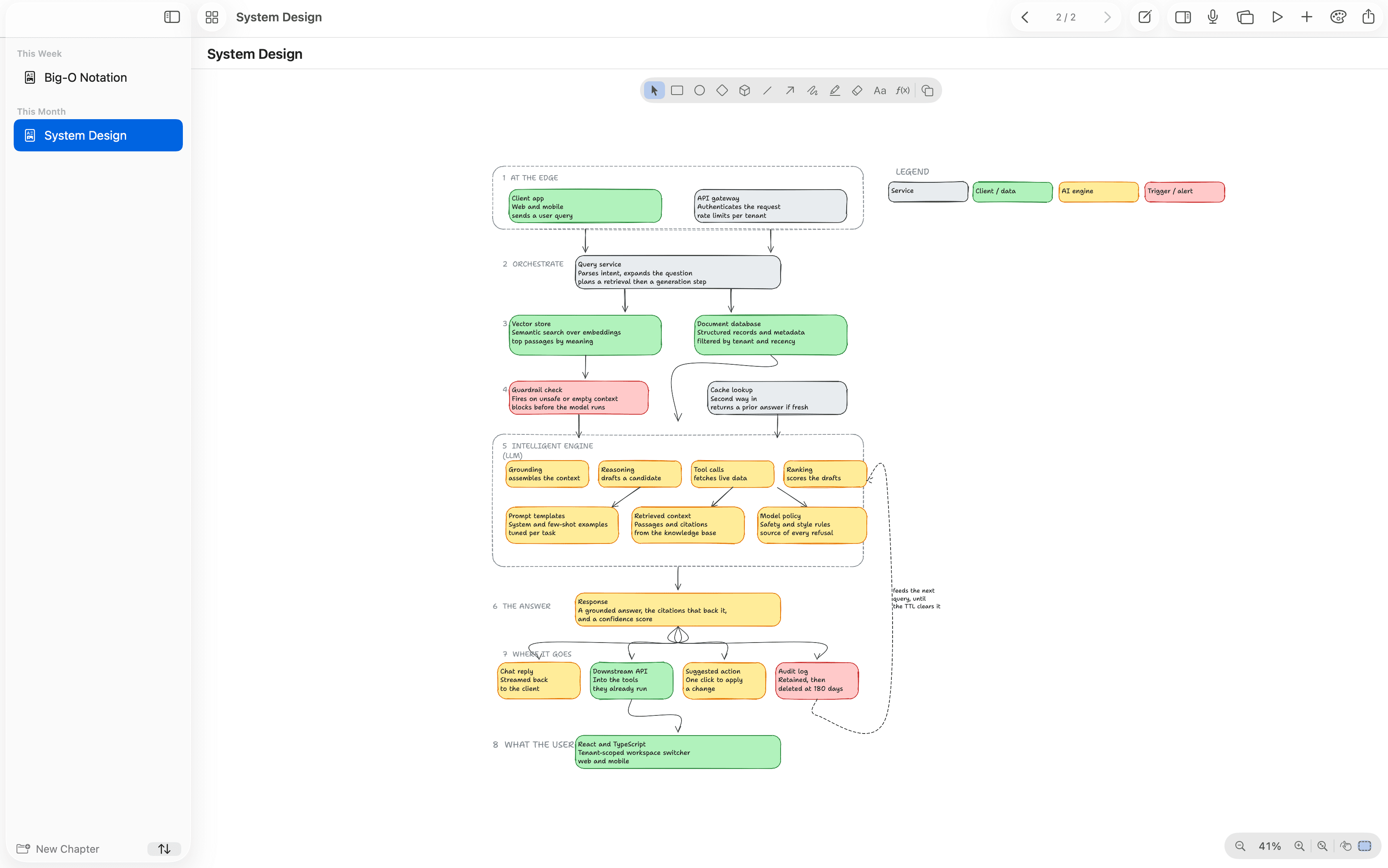
Built to stay yours
Native, private, and portable by default, the opposite of a cloud notes app.
Runs on your Mac
Notes, audio, and transcription all process on-device. Nothing is uploaded, and diagnostics stay off unless you turn them on.
Plain files you own
Every page is a file in a folder you control. Export to PDF or print, and keep using Finder, Obsidian, and Git. No lock-in, ever.
Native, not a web view
Built on native macOS frameworks for an instant launch, low battery use, and smooth pen and trackpad input.
For confidential work
Client notes that never leave your Mac
Therapists, lawyers, physicians, journalists: local-only mode keeps a library out of iCloud entirely, notebooks can be encrypted from the moment they are created, and session transcription runs on your own hardware, so nothing is ever sent to a cloud AI service. Not allowed to use AI tools with client data? There is no service here to send it to.
Watch it work
A quick tour of writing, drawing, and thinking on the same page, all native on your Mac.
See it in action
Real screenshots, straight from the Mac app. From CS lectures to lab reports.
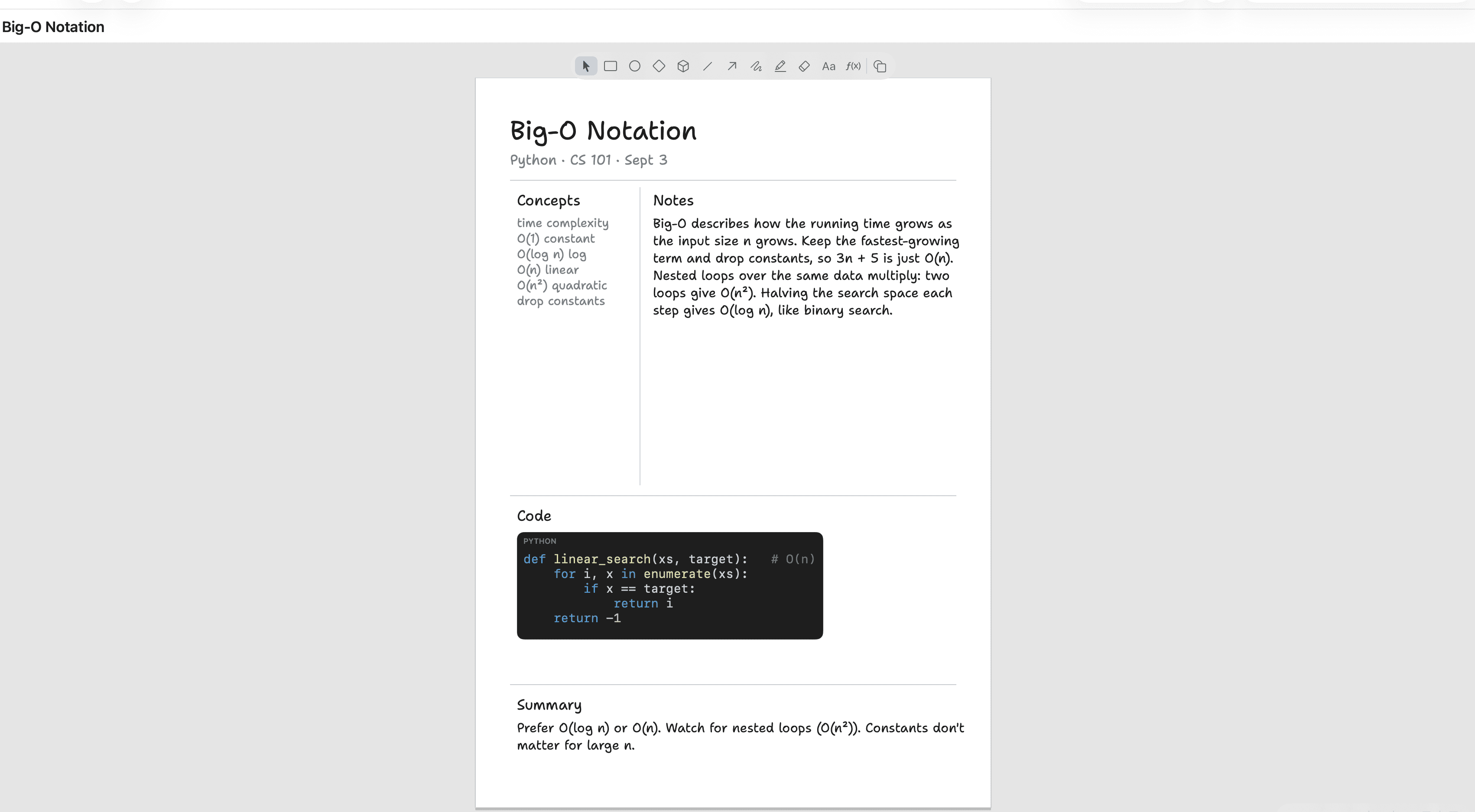
Notes, definitions, and code for every lecture
Concepts on one side, notes on the other, a syntax-highlighted code block underneath, and a quick summary at the end. A clean study page for any class, built the way you revise.
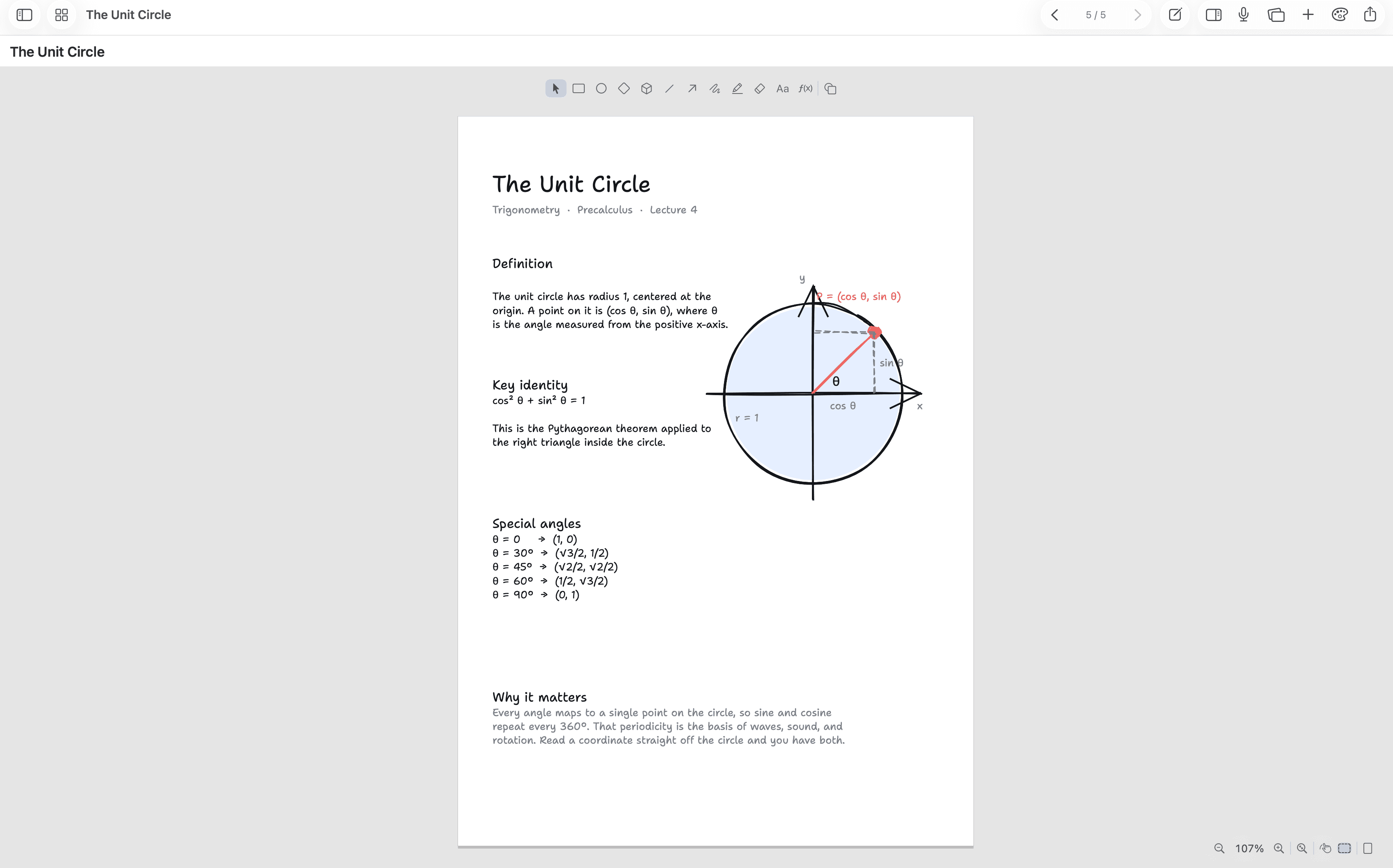
Math that typesets as you write it
Type real LaTeX or plain words like "cos squared theta", and Brainstorm typesets it live, then sketch the diagram right beside it. This unit-circle page is one printable sheet: equations, labels, and drawing together.
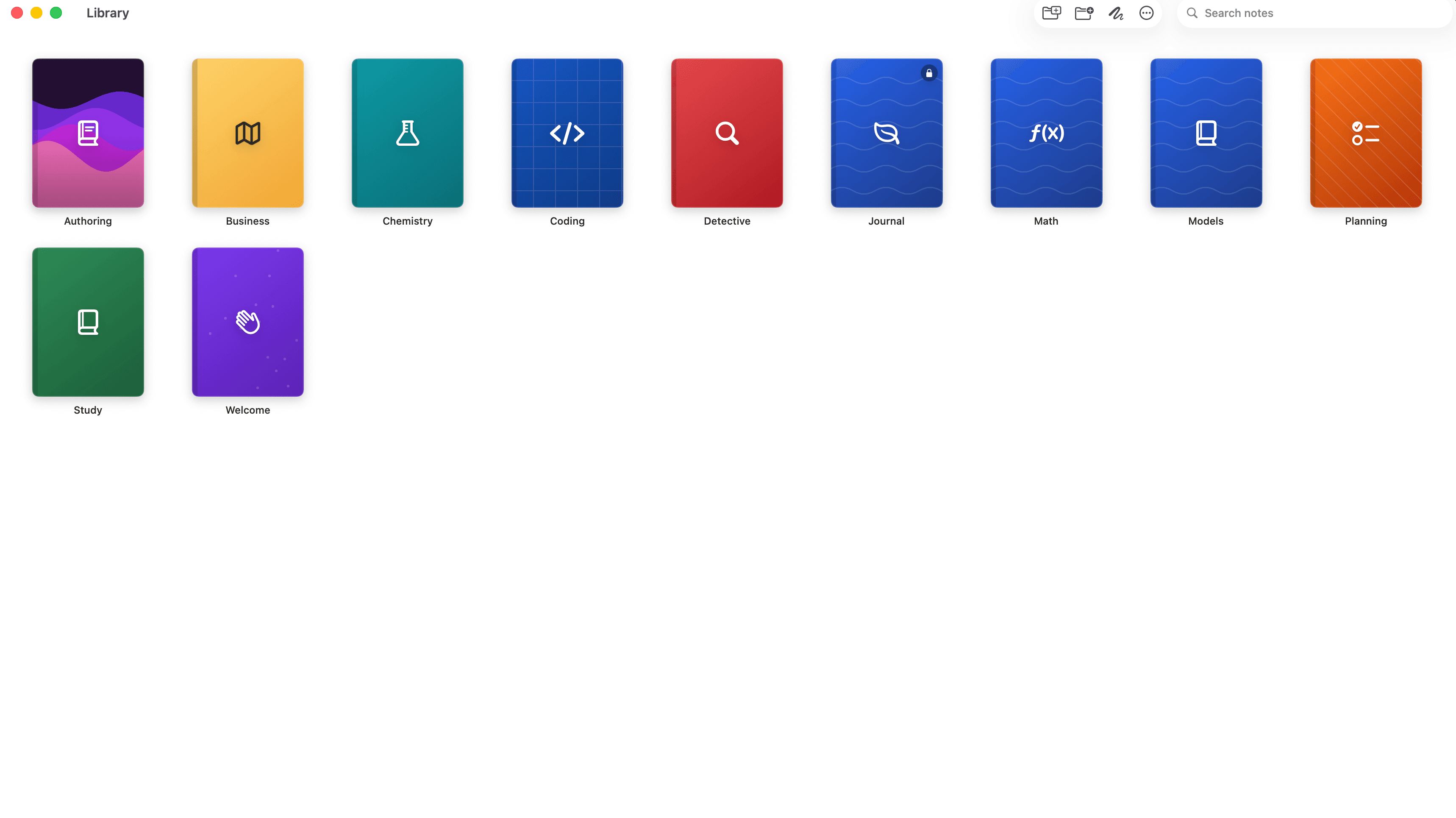
Every class in one place
Group pages into styled notebooks with their own color, icon, and cover, one per subject. Everything is a plain file in a folder you control, so Obsidian and Finder keep working.
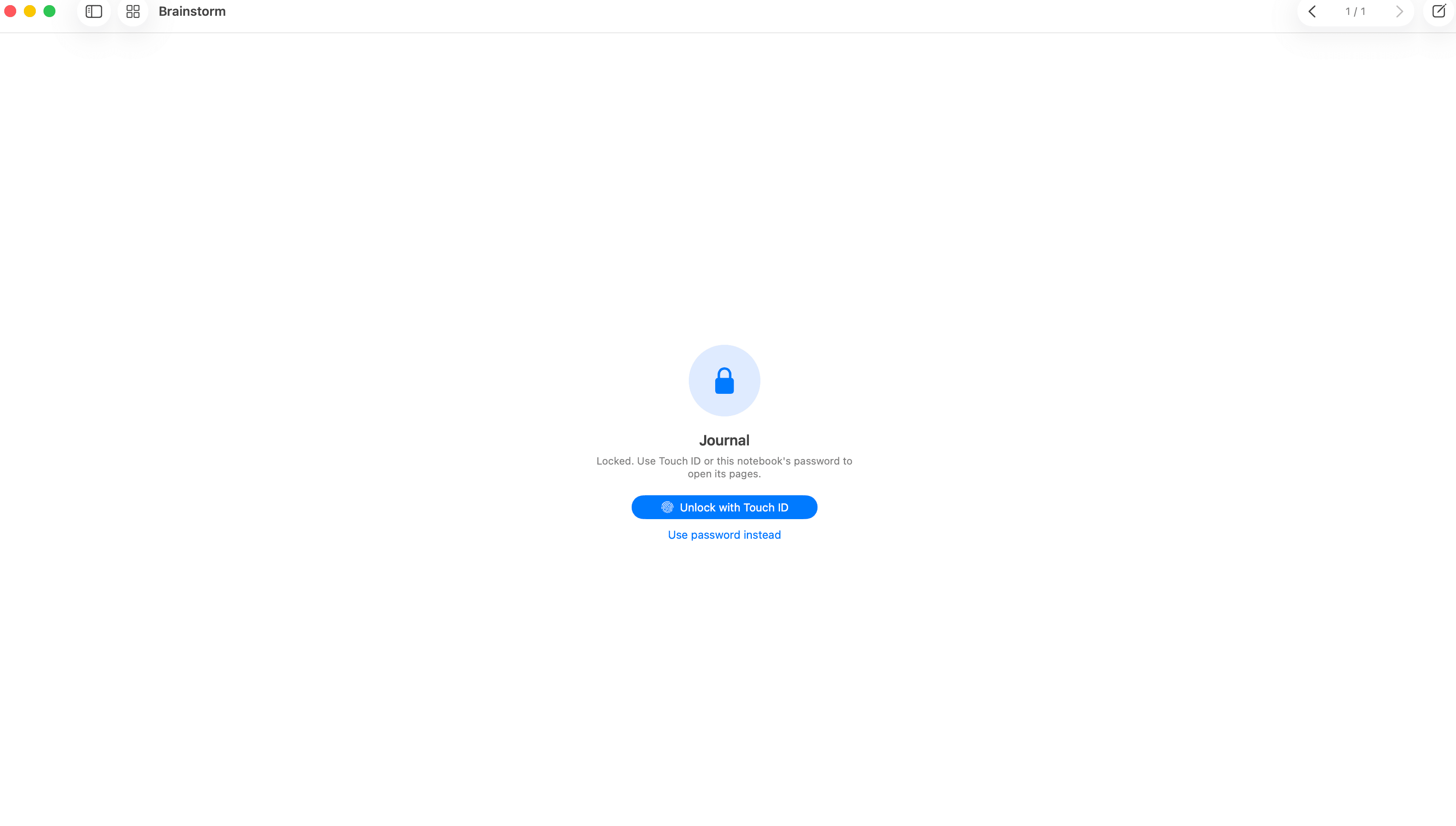
Lock a private notebook
Encrypt a notebook and hide its pages behind a password, or unlock it with Touch ID. Locked notebooks never show their contents until you open them.
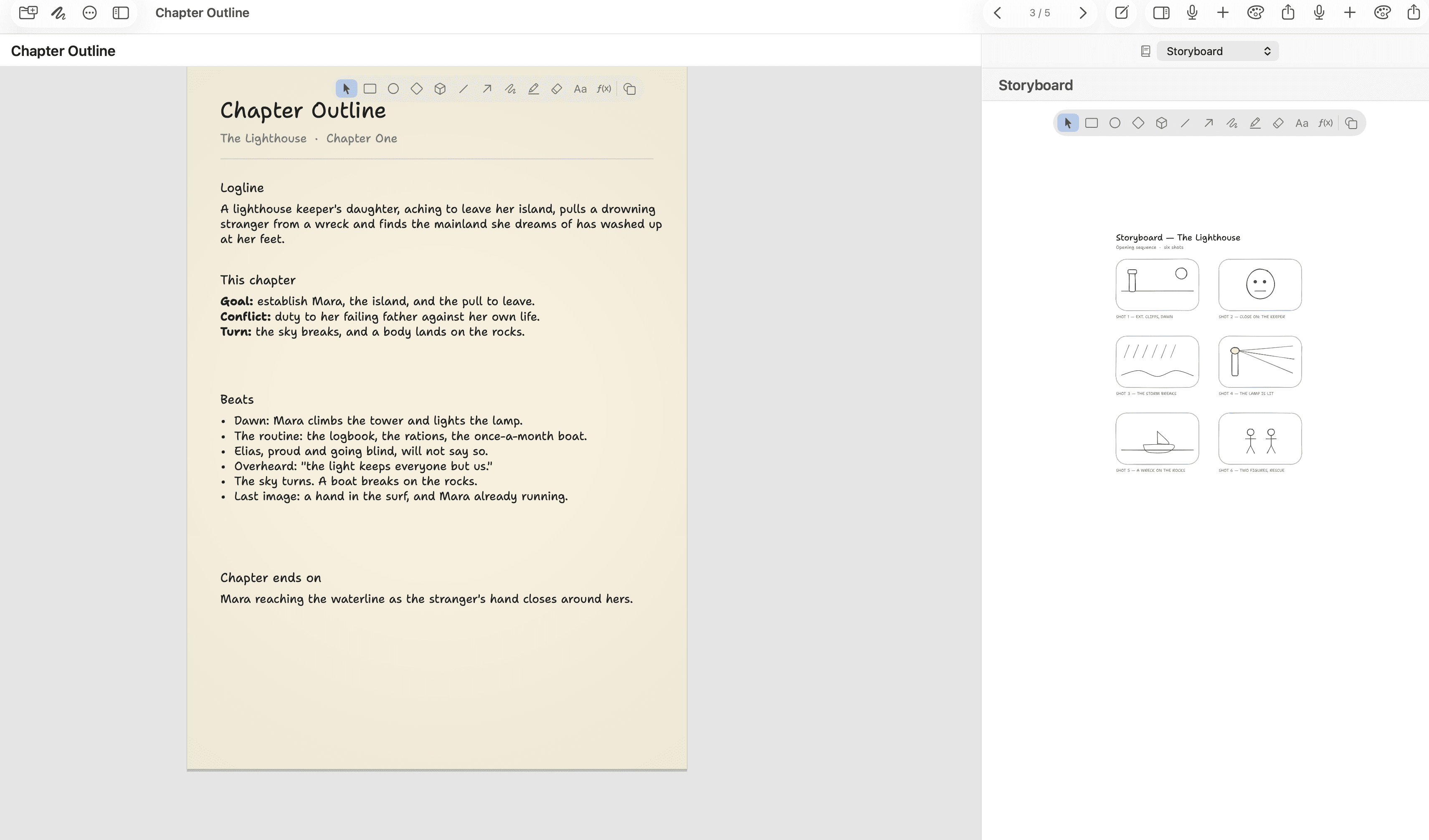
Long-form writing, too
Essays, theses, and drafts get an outline and a reference panel side by side, so your plan stays in view while you write.
Native math
Type it in LaTeX or plain words. It renders like this.
Everything on one page
The parts of a notebook you actually use, made native and made to fit together.
Hand-drawn shapes and freehand
Sketch shapes, arrows, and smooth freehand strokes with hold-to-snap.
Live Markdown with code blocks
Type Markdown that formats as you go, with syntax-highlighted fenced code.
Native LaTeX math and plain-words shorthand
Write real LaTeX, or say it in words: "x squared plus 1 over 2".
Inline images with trace-to-sketch
Drop in an image and trace it into a clean hand-drawn sketch.
On-device recording and transcription
Record a lecture and transcribe it on your Mac. Audio never leaves the device.
Page themes with matched ink
Chalkboard, whiteboard, paper, graphite, and blueprint, each with matched ink.
Print and PDF export
Send a page to print or export a crisp PDF for sharing.
Privacy-first diagnostics
Diagnostics are off by default. Your notes are yours.
How it works
From a blank page to a finished sheet in three moves. No modes to learn.
Write
Type Markdown, math, and notes that format live as you go.
Draw
Sketch shapes and freehand on the very same page, then hold to snap them clean.
Keep it yours
Everything runs on your Mac. Export a PDF or print when you are ready to share.
Common questions
Everything worth knowing before you download.
What do I need to run Brainstorm?
A Mac on macOS 14 (Sonoma) or later to start. iPad, iPhone, and Windows versions are coming next.Do my notes ever leave my Mac?
No. Notes, audio, and transcription all run on-device, there is no web view in the app, and diagnostics are off unless you opt in.Can I get my notes out later?
Always. Every page is a plain file in a folder you control, so Finder, Obsidian, and Git keep working. Export any page to PDF or send it straight to print.How does recording and transcription work?
Record a lecture or meeting and Brainstorm transcribes it on your Mac with Whisper. The audio never leaves the device.I am not allowed to put client data into AI tools. Can I still use transcription?
Yes. Transcription runs Whisper entirely on your Mac: the model executes on your own hardware, nothing is transmitted to any AI service or to us, and it works offline. If your rule is that client data must never reach a third party, local transcription satisfies it by construction. See Brainstorm for confidential work.How much does it cost?
Start free, then unlock the full toolkit with a one-time $4.99 purchase. No subscription, and updates are free. See the pricing page.When does it launch?
Soon, for macOS. Join the beta and we will send your invite the moment it is ready.
Ready to think on paper again?
Your invite lands the moment the beta is ready. Notes stay on your device.